How to Safely and Efficiently Send Money to India via MoneyGram Login?




Image Source: unsplash
When you want to send money to India through remittance, you first need to log into your MoneyGram account. You can complete registration on the MoneyGram website or app. After registration, you enter your account information, select the destination country, and fill in the recipient’s details. You confirm the exchange rate and fees, and finally submit the remittance request. The entire process is simple and clear, and MoneyGram uses encryption technology to protect your account and funds’ security.
Key Points
- When registering a MoneyGram account, ensure you provide accurate and authentic information to avoid verification failures during remittances.
- Before sending money, compare fees and exchange rates of different services to choose the most suitable remittance method.
- Use a strong password and two-factor authentication to protect your MoneyGram account security and prevent unauthorized access.
- Before submitting the remittance request, carefully verify all information to ensure the recipient’s details are accurate to avoid delays.
- If you encounter issues, promptly contact MoneyGram customer service to ensure fund security and remittance efficiency.
Logging into Your MoneyGram Account
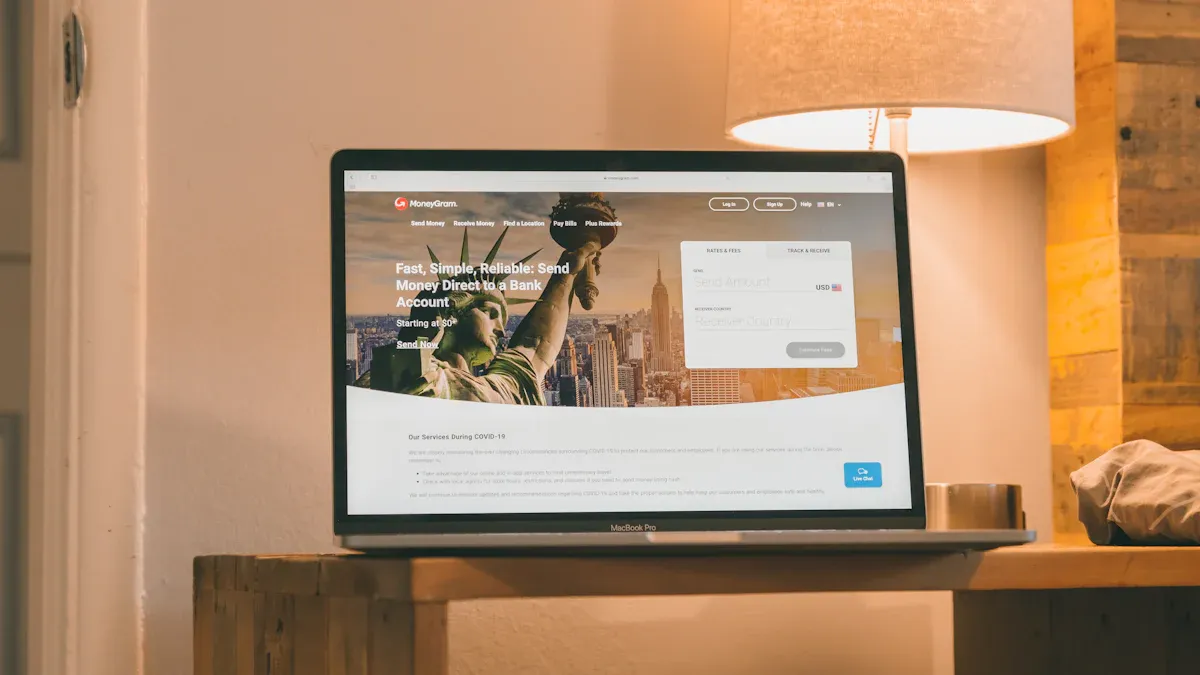
Image Source: unsplash
Account Registration
You can register an account through the MoneyGram website or official app. During registration, you need to provide basic information, including your name, date of birth, and contact details. MoneyGram will require you to upload a valid identification document, such as a passport or ID card. You also need to provide valid bank account information, and it’s recommended to prioritize accounts opened with licensed banks in Hong Kong or other international banks. This ensures a smooth remittance process to India.
Tip: Ensure all information provided during registration is accurate and authentic to avoid verification failures during remittances.
Login Process
After registration, you can log into your MoneyGram account at any time. You only need to enter the email and password provided during registration. MoneyGram uses industry-standard encryption technology to protect your account information and funds’ security. The table below shows MoneyGram’s measures for data security:
| Source | Details |
|---|---|
| Exploring the Security of the MoneyGram App | MoneyGram uses industry-standard encryption technology to protect users’ personal and financial information, ensuring data transmitted through the app is secure and inaccessible to unauthorized parties. |
| Exclusive Insight: Ensuring User Privacy and Security on the MoneyGram App | MoneyGram employs industry-standard encryption technology to protect data transmitted through its app, ensuring sensitive information like account details and transaction history is not accessed by unauthorized parties. |
You can confidently operate on the MoneyGram platform, whether logging in or sending money to India, as the system encrypts your data.
Handling Account Issues
If you encounter issues logging into your MoneyGram account, refer to the common problems and solutions below:
| Issue Description | Solution |
|---|---|
| Unable to log into the website | Use a supported browser, such as Chrome, Edge, Firefox, or Safari. Try opening the website in a private or incognito window. Clear browser cookies. Try accessing from another device or network. Use the mobile app. If the issue persists, fill out the contact form and describe the problem in detail. |
When facing login issues, first check your network environment and browser settings. If the problem persists, seek assistance through MoneyGram’s customer service channels. This maximizes the security of your account and remittance efficiency.
India Remittance Process

Image Source: unsplash
Selecting the Destination Country and Amount
After logging into the MoneyGram website or app, you first need to select the destination country. You should choose “India” as the remittance destination. The system will prompt you to enter the remittance amount. You can input the amount based on your needs, with a minimum of 1 USD and a maximum of up to 15,000 USD.
It’s recommended to compare fees, exchange rates, and delivery speeds of different remittance services before selecting the amount. You can check user reviews to choose the most suitable method for sending money to India.
Entering Recipient Information
You need to accurately provide the recipient’s detailed information, including their full name, address, bank account number, and contact details. MoneyGram requires this information to ensure funds are successfully transferred to the recipient’s bank account.
During the India remittance process, you also need to prepare related documents. For example, in some cases, you may need to fill out Form 15CA (for declaring remittance details) and Form 15CB (issued by a chartered accountant to certify that applicable taxes have been paid). You can fill out Form 15CA online and provide the necessary information to a chartered accountant to obtain Form 15CB.
Tip: Ensure all information is accurate to avoid remittance failures or delays due to errors.
Choosing the Receiving Method
You can choose to transfer funds directly to the recipient’s bank account or allow the recipient to collect cash at a designated location. MoneyGram supports multiple receiving methods to meet different needs.
The table below shows some supported receiving locations:
| Receiving Location | Description |
|---|---|
| Thomas Cook Ltd | Fast and secure fund receiving method |
| Delphi | Fast and secure fund receiving method |
Most users prefer direct bank account transfers, as funds arrive faster and are more secure. You can also choose the method based on the recipient’s situation.
Checking Exchange Rates and Fees
You can check exchange rates and fees in real-time on the MoneyGram website or app. After entering the remittance amount, the system will automatically display the current exchange rate and corresponding fees.
The table below shows common fees and related information:
| Fee Type | Amount |
|---|---|
| Transfer Fee | $0 USD ($1-$10,000 USD); $49.99 ($10,001-$15,000 USD) |
| Transfer Time | 3-4 days |
| Maximum Transfer Amount | $15,000 |
| Minimum Transfer Amount | $1 |
You can use this information to plan your India remittance, choosing the optimal timing and amount.
Submitting the Remittance
After verifying all information is correct, you can submit the remittance request. Before submission, the system will display a remittance overview, including recipient information, remittance amount, fees, exchange rate, and estimated delivery time. You need to confirm all details are correct and then click the “Submit” button.
After completing the remittance, the system will generate a transaction receipt or confirmation information. Please keep it safe for future reference or verification.
The entire India remittance process is very straightforward. By following the steps above, your funds can be safely and efficiently transferred to the recipient’s bank account. You can complete the entire process on the MoneyGram website or app without visiting a physical location. Real-time exchange rates and transparent fees help you make informed decisions.
Security Measures
Account Security
When sending money to India via the MoneyGram platform, account security is critical. MoneyGram uses industry-standard security protocols and encryption technology to protect your account and funds. You can confidently enter personal and transaction data. The platform implements the following measures to ensure security:
- Adheres to international standards to protect customer data and transactions.
- Strictly complies with the Payment Card Industry Data Security Standard (PCI DSS), providing a secure operating environment.
- Uses advanced encryption technology and multi-factor authentication to prevent unauthorized account access.
- Continuously monitors all transactions to detect suspicious activity promptly and collaborates with international regulatory bodies.
You can further enhance account security by setting a strong password and enabling two-factor authentication. Avoid using easily guessable information like your name or birthday. Choose a combination of uppercase letters, lowercase letters, numbers, and special characters. After enabling two-factor authentication, each login requires a password and a mobile verification code, effectively preventing unauthorized access.
- Create a strong and unique password, avoiding personal information.
- Enable two-factor authentication (2FA) for additional account protection.
Information Verification
MoneyGram conducts strict identity verification to prevent unauthorized access and fraud. You need to provide a valid government-issued photo ID, such as a passport, driver’s license, or national ID card. In some cases, the platform may also require proof of address. MoneyGram uses electronic verification tools to cross-check your information with official databases, ensuring its authenticity. For online transactions, the platform may require multi-factor authentication to further secure funds.
- Provide a valid photo ID.
- Submit proof of address if required.
- Use electronic verification tools to cross-check personal information.
- Perform multi-factor authentication for online transactions.
Risk Prevention
When sending money to India, you should be aware of cybersecurity risks. MoneyGram experienced a data breach where hackers accessed some sensitive customer data, increasing the risk of identity theft and fraud. The platform mitigates risks through measures like incident response, employee training, and collaboration with cybersecurity experts. You should also regularly monitor your account and credit reports to detect anomalies promptly.
| Risk Type | Description |
|---|---|
| Data Breach | Hackers may access personal and financial information, posing risks of identity theft and fraud. |
| Cybersecurity Measures | MoneyGram addresses security threats through system downtime, external expert investigations, and user notifications. |
You can take the following steps to protect yourself:
- Regularly check your account and credit reports, addressing anomalies promptly.
- Avoid conducting remittances on public networks to prevent data theft.
- Contact MoneyGram customer service immediately if you encounter suspicious situations.
By implementing these measures, you can significantly enhance the security of your India remittances, ensuring funds are delivered safely.
Improving Remittance Efficiency
Scheduling Wisely
When sending money to India, scheduling wisely can improve efficiency. MoneyGram supports 24/7 online operations, allowing you to send money at your convenience. Transfers processed on business days are typically faster. Preparing recipient information and required documents in advance can avoid delays due to incomplete information.
It’s recommended to submit remittance requests during bank business hours to speed up delivery. During holidays or peak periods, delivery times may be extended. You can check the estimated delivery time in real-time on the MoneyGram app or website to plan your remittance accordingly.
Comparing Fees and Exchange Rates
When choosing a remittance service, fees and exchange rates are key factors. Different providers have varying rates and fees. The table below compares MoneyGram with other major remittance platforms:
| Provider | Delivery Time | Exchange Rate | Transfer Fee | Recipient Receives |
|---|---|---|---|---|
| Other Providers | Within 7 days | 87.8803 | 1.99 USD | 87,705.41 INR |
| MoneyGram | Within 10 hours | 88.2025 | 11.72 USD | 87,168.77 INR |
You can see that MoneyGram offers faster delivery but slightly higher fees. You need to weigh delivery time against costs based on your needs. You can check exchange rates and fees in real-time on the MoneyGram platform to choose the most suitable remittance option.
Increasing Limits
When sending money via MoneyGram, the maximum single transaction limit is 15,000 USD. If you need to send higher amounts, you can split the remittance into multiple transactions or contact MoneyGram customer service in advance to request a limit increase. Ensuring complete account information and identity verification documents can expedite the approval process for higher limits.
Tip: You can open an account with a licensed bank in Hong Kong or other international banks to increase remittance limits and security. Preparing related documents in advance facilitates smooth large-amount remittances.
Handling Common Issues
Modifying Information
When sending money to India via MoneyGram, you may need to modify recipient or sender information. MoneyGram allows minor edits to the recipient’s name through the self-service portal. For larger changes, such as replacing the recipient or adjusting other key details, you need to cancel the current transaction and initiate a new one.
When modifying information, you need to prepare the transaction reference number, sender and recipient surnames, and the sender’s date of birth. These details help MoneyGram quickly locate your transaction and complete identity verification.
| Modification Type | Handling Method |
|---|---|
| Minor Recipient Name Edit | Can be edited through the self-service portal. |
| Other Modifications | Requires canceling the current transaction and starting a new one. |
| Required Information | Description |
|---|---|
| Transaction Reference Number | Used to locate the transaction. |
| Sender’s Surname | Required for identity verification. |
| Sender’s Date of Birth | Required for identity verification. |
| Recipient’s Surname | Required for identity verification. |
Transaction Failures
During the India remittance process, you may encounter transaction failures. Common reasons include incorrect information, mismatched payment methods, technical issues at agent locations, or cash shortages. You can follow these steps to troubleshoot and resolve issues:
- Check the transfer status to confirm whether the payment was successful or canceled.
- Verify the payment method, receiving agent, and recipient name to ensure they match the transfer details.
- At the agent location, present the ID used by the sender and the receipt with the 8-digit reference number, and ask the agent to check the terminal transaction status.
- If the transaction is held for compliance or suspected fraud, submit additional documents as required by MoneyGram; if cancellation is needed, request a refund and use another method to resend.
- For technical or cash shortage issues, try another nearby agent or call MoneyGram customer service with the reference number for assistance.
If you encounter a transaction failure, promptly verify all information and communicate with MoneyGram’s official channels to ensure fund security.
Contacting Customer Service
When addressing remittance issues, you can contact MoneyGram customer service through multiple official channels. MoneyGram provides FAQ support, online forms, phone, and email support. You can choose the most suitable method based on your needs for quick assistance.
| Support Channel | Description |
|---|---|
| FAQ | FAQ support |
| Contact Us | Contact customer service |
| Phone Support | 2032238 |
| Email Support | customerservice@moneygram.com |
| Online Form | Online form for submitting issues or feedback |
Prepare the transaction reference number and related identity information in advance to help customer service resolve your issue faster. For complex issues, prioritize phone or email support for more detailed guidance.
Fees and Limits
Fees
When sending money to India via the MoneyGram platform, fees vary based on the remittance amount. Typically, for amounts between 1 USD and 10,000 USD, the fee is 0 USD. For amounts between 10,001 USD and 15,000 USD, the fee is 49.99 USD. You can check specific fees in real-time on the MoneyGram website or app.
Tip: Calculate fees in advance and plan your remittance amount to avoid high fees impacting fund allocation.
| Remittance Amount Range | Fee |
|---|---|
| 1 USD - 10,000 USD | 0 USD |
| 10,001 USD - 15,000 USD | 49.99 USD |
You can choose the appropriate remittance amount based on your needs to save on fees.
Remittance Limits
MoneyGram sets a single transaction limit for India remittances. You can send up to 15,000 USD per transaction, with a minimum of 1 USD. If you need to send higher amounts, you can split the remittance into multiple transactions. After completing account verification, you may apply for a limit increase.
Opening an account with a licensed bank in Hong Kong or other international banks can help increase remittance limits and security.
It’s recommended to prepare identity verification documents and bank information in advance to facilitate smooth large-amount remittances.
- Maximum Single Transaction Limit: 15,000 USD
- Minimum Single Transaction Limit: 1 USD
Supported Currencies
When sending money via MoneyGram, you can choose from multiple currencies. The platform primarily supports USD as the remittance currency. You can send USD to the recipient’s bank account in India. The recipient can convert USD to Indian Rupees (INR) based on local bank policies.
When choosing a receiving bank, prioritize licensed banks in Hong Kong or international bank accounts to enhance delivery speed and fund security.
You can check supported currency types on the MoneyGram website or app to ensure a smooth remittance.
- Supported Remittance Currency: USD
- Recipient Can Convert to: INR (Indian Rupee)
You can select the appropriate currency type based on your needs to ensure safe and efficient fund delivery.
Recipient Requirements
Bank Account Requirements
When receiving money in India, you need a valid bank account. It’s recommended to use accounts with major local banks or international banks. For faster fund delivery, prioritize accounts with licensed banks in Hong Kong or other international banks. The bank account information must be accurate, including the account number and account holder’s name. You also need to ensure the account is active and capable of receiving international remittances. Some banks may require you to activate international receiving functions in advance. Consult your bank about relevant policies to avoid remittance failures.
Required Documents
When collecting a MoneyGram remittance, you need to prepare the following documents:
- Valid photo ID (e.g., passport, driver’s license, or Indian national ID)
- If required by the bank or agent location, you need to fill out a receiving form and provide the reference number from the sender.
These documents help the bank or agent verify your identity, ensuring secure fund delivery. Before heading to a bank or agent location to collect the remittance, prepare all documents in advance to save time and improve efficiency.
Notes
During the receiving process, pay attention to the following:
Ensure all provided information matches the bank account details. If the information does not match, the bank may reject the deposit or request additional documents.
- Keep your ID and reference number secure to avoid information leaks.
- When filling out forms, carefully verify each detail to prevent delays due to errors.
- If the bank or agent requires additional documents, cooperate promptly to ensure smooth receipt.
- Regularly check your account balance to confirm fund delivery. Contact MoneyGram customer service if there are any issues.
By following these preparations and notes, you can securely and smoothly receive MoneyGram remittances in India.
When completing a remittance to India, strictly follow each step. Verify all information to ensure the account and recipient details are accurate. MoneyGram uses encryption technology to ensure fund security. You can track progress anytime on the website or app. If you encounter issues, contact customer service promptly. This ensures a more efficient and secure remittance process.
FAQ
How to Track Remittance Progress?
You can log into the MoneyGram website or app, go to the “My Transactions” page, and enter the transaction reference number to check the remittance status and estimated delivery time in real-time.
How Long Does It Take for Funds to Be Refunded After a Failed Remittance?
If a remittance fails, the system will automatically refund the funds, typically within 3-5 business days. You can contact MoneyGram customer service to confirm refund progress.
Which Bank Accounts Can Receive Funds?
You can use licensed bank accounts in Hong Kong or major local banks in India. Ensure the account information is accurate, the account is active, and it supports international remittance receipt.
What to Do If Identity Verification Fails?
Check if the uploaded ID is clear and valid. Try re-uploading or using a different ID. If the issue persists, contact MoneyGram customer service for assistance.
How to Modify Recipient Information?
You can make minor edits to the recipient’s name through the self-service portal. For other changes, cancel the current transaction and initiate a new remittance.
Logging into MoneyGram for remittances in India is straightforward, but its fee structure (0 USD for small amounts, up to $49.99 for larger ones) and exchange markups often diminish recipient funds, particularly amid India’s projected $120+ billion remittance inflows in 2025, where high costs and data breach risks (like the 2024 incident) heighten vulnerabilities. For lower fees and stronger security, opt for BiyaPay. At just 0.5% transfer fees with neutral rates, BiyaPay minimizes hidden losses, maximizing value for recipients.
BiyaPay enables instant fiat-to-crypto exchanges across most countries, including India, with swift registration and same-day arrivals. Moreover, access stocks in US and Hong Kong markets without an extra account, featuring zero fees on contract orders. Join now and use the real-time exchange rate checker to lock in USD/INR (around 83.5 today), elevating your cross-border transfers to a smarter, safer level.
*This article is provided for general information purposes and does not constitute legal, tax or other professional advice from BiyaPay or its subsidiaries and its affiliates, and it is not intended as a substitute for obtaining advice from a financial advisor or any other professional.
We make no representations, warranties or warranties, express or implied, as to the accuracy, completeness or timeliness of the contents of this publication.
Related Blogs of

US Stock Market Holiday Countdown: How Investors Should Position for Next Week's Trading

Annual Review: Best Performing US Stock ETFs in 2026 and the Logic Behind Them

Micro Dow, Micro Nasdaq, Micro S&P Futures Comprehensive Comparison – Helping You Find the Best Trading Choice

A Blessing for Small Investors: Finding the Lowest Trading Cost US Stock Brokers

Choose Country or Region to Read Local Blog
 Australia
 Austria
 Belgium
 Canada
 Cyprus
 Czech Republic
 Denmark
 Estonia
 Finland
 France
 Germany
 Greece
 Hong Kong
 India
India Indonesia
 Ireland
 Italy
Italy Japan
Japan Latvia
 Lithuania
 Luxembourg
 Malaysia
 Malta
Malta Morocco
 Nepal
Nepal Netherlands
 New Zealand
 Norway
 Pakistan
 Philippines
 Poland
 Portugal
 Romania
 Singapore
 Slovakia
 Slovenia
 South Africa
 South Korea
 Spain
Spain Sweden
 Thailand
 The United States
 Turkey
 United Arab Emirates
 United Kingdom
 Vietnam
Contact Us




BIYA GLOBAL LLC is a licensed entity registered with the U.S. Securities and Exchange Commission (SEC No.: 802-127417); a certified member of the Financial Industry Regulatory Authority (FINRA) (Central Registration Depository CRD No.: 325027); regulated by the Financial Industry Regulatory Authority (FINRA) and the U.S. Securities and Exchange Commission (SEC).
BIYA GLOBAL LLC is registered with the Financial Crimes Enforcement Network (FinCEN), an agency under the U.S. Department of the Treasury, as a Money Services Business (MSB), with registration number 31000218637349, and regulated by the Financial Crimes Enforcement Network (FinCEN).
BIYA GLOBAL LIMITED is a registered Financial Service Provider (FSP) in New Zealand, with registration number FSP1007221, and is also a registered member of the Financial Services Complaints Limited (FSCL), an independent dispute resolution scheme in New Zealand.